Client Photos for Every Client
Improvement
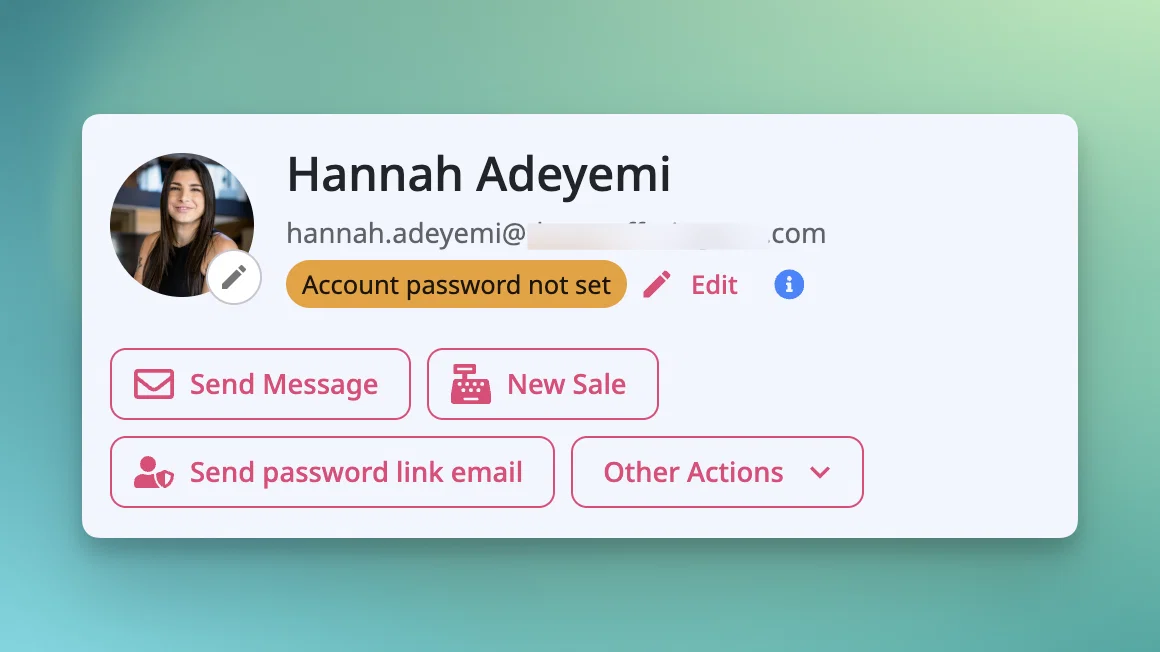
Client photos used to come only from a client's own OfferingTree account, so imported clients, walk-ins, and anyone without a login showed up as initials. 📸
Now you can add, replace, or remove a photo for any client from their client detail page, login or not. It appears in appointment details and event attendee lists.
A few details worth knowing:
- Upload and crop. Photos crop to a square and can be replaced or removed anytime.
- Which photo shows. Your photo first, then the client's account photo, then initials. Never a generic placeholder.
- Private to you. Businesses sharing a client each see only their own photo. Photos never enter your website media library.
- Shared records. Photos can be edited even when name and email are locked, using the same permission as editing a contact.
- Mobile. On phone-width attendee lists, photos show when a card is expanded.
- Merging. The surviving client keeps its photo. If it has none, the merged-away photo transfers.
Available on all plans.