Schedule Color Coding for Offerings and Staff
Improvement
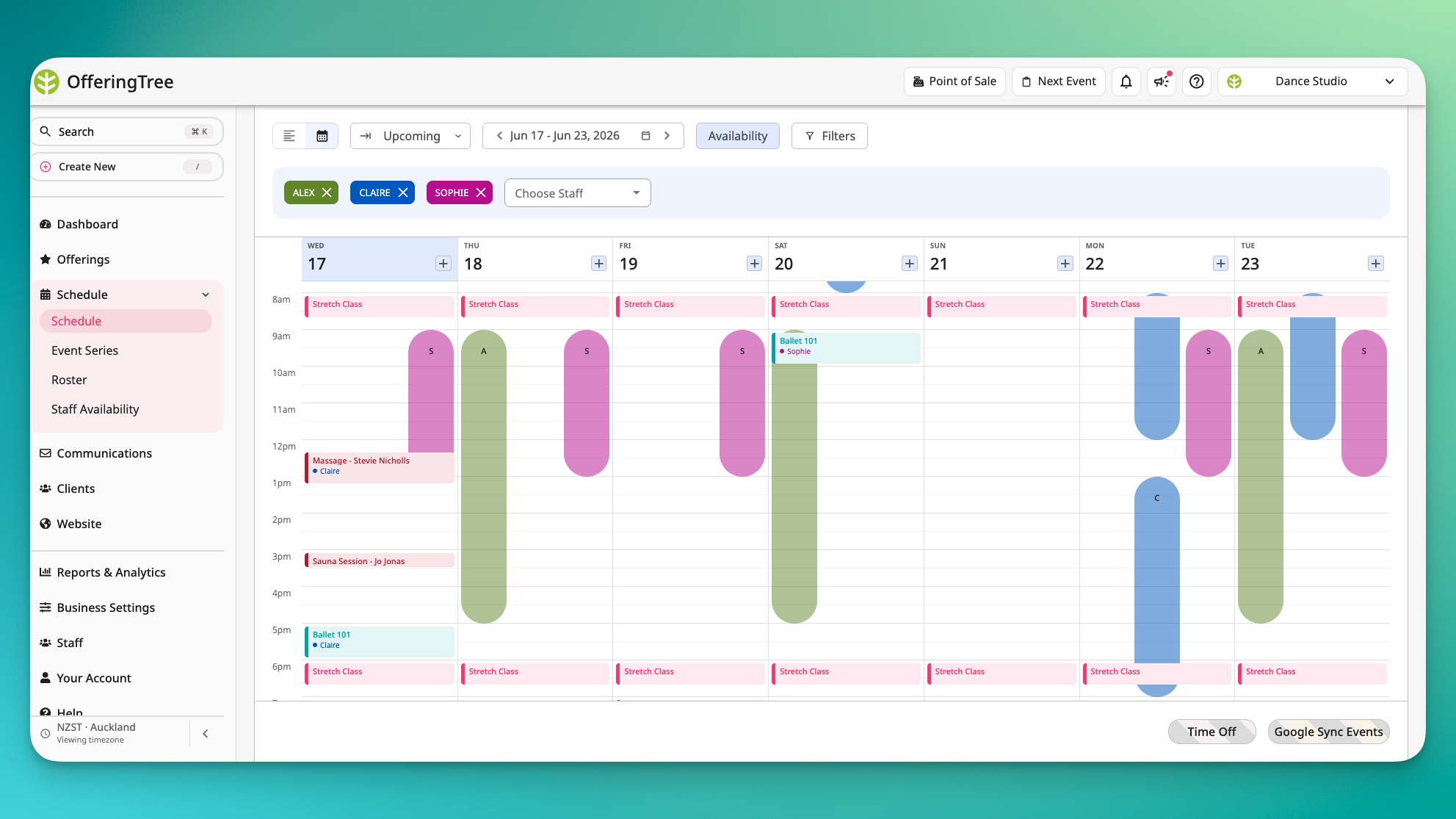
A busy schedule can turn into a wall of text fast. When every class, provider, and room entry looks the same, figuring out what's on and who's running it means reading every line.
You can now assign colors to individual offerings and staff members. 🎨 Those colors show up as an accent bar on each schedule entry, across both calendar and list views, so you can scan a full day at a glance and immediately distinguish offering types, providers, and back-to-back sessions.
A few details worth knowing:
- Colors work at two levels. You can assign a color per offering, per staff member, or both.
- The accent applies everywhere. Calendar view and list view both reflect the assigned color consistently.
Available on all plans.